
How to Write a Standard Resume: A Step-by-Step Guide for 2026
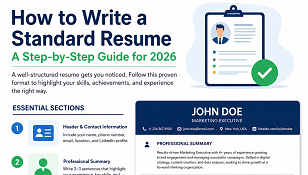
A great resume is your ticket to landing interviews. Recruiters spend just 6–7 seconds scanning each resume, so yours needs to be clear, professional, and impactful from the very first glance. In this guide, you’ll learn exactly how to write a standard resume that stands out and beats Applicant Tracking Systems (ATS).
What Is a Standard Resume?
A standard resume is a clean, one-to-two-page document that summarizes your professional background, skills, and achievements. It follows a logical structure that recruiters and hiring managers expect — making it easy for them to find the information they need quickly.
Essential Sections of a Standard Resume
Every professional resume should include these core sections, in this order:
1. Header & Contact Information
Place your details at the top of the page:
- Full Name (slightly larger font)
- Phone Number
- Professional Email Address (avoid nicknames)
- City & Country
- LinkedIn Profile (optional but recommended)
Tip: Never use an unprofessional email like “[email protected]” — create one with your real name instead.
2. Professional Summary
Write 2–3 sentences that summarize who you are, your key strengths, and your career goals. This is your elevator pitch — make it count.
Example:
“Results-driven Marketing Executive with 4+ years of experience growing brand engagement and managing successful campaigns. Skilled in digital strategy, content creation, and data analysis, seeking to drive growth at a forward-thinking organization.”
3. Work Experience
List your jobs in reverse chronological order (most recent first). For each role, include:
- Job Title
- Company Name
- Employment Dates (Month/Year)
- 3–5 bullet points describing your achievements
Focus on achievements, not just duties. Use action verbs and add numbers wherever possible:
- ❌ “Responsible for sales”
- ✅ “Increased regional sales by 35% within 12 months”
4. Education
Include your highest and most relevant qualifications:
- Degree Name
- Institution Name
- Graduation Year
- CGPA/Result (if strong)
5. Skills
List both hard skills (technical abilities) and soft skills (interpersonal abilities) relevant to the job. For example:
- Microsoft Office, Data Analysis, SEO
- Communication, Leadership, Problem-Solving
6. Additional Sections (Optional)
Depending on your field, you may add:
- Certifications & Training
- Languages
- Awards & Achievements
- Volunteer Work or Projects
Formatting Tips for a Professional Look
How your resume looks is almost as important as what it says. Follow these rules:
- Length: Keep it to 1 page (2 pages maximum for senior roles)
- Font: Use clean fonts like Calibri, Arial, or Times New Roman (10–12 pt)
- Margins: Maintain 1-inch margins for a balanced layout
- Consistency: Keep dates, headings, and bullet styles uniform
- White Space: Don’t overcrowd — let the page breathe
- File Format: Save and send as a PDF unless asked otherwise
Make Your Resume ATS-Friendly
Most companies use Applicant Tracking Systems (ATS) to filter resumes before a human ever sees them. To pass these systems:
- Use standard section headings (e.g., “Work Experience,” “Education”)
- Include keywords from the job description
- Avoid images, tables, and fancy graphics
- Stick to a simple, single-column layout
- Submit as a text-based PDF
Common Resume Mistakes to Avoid
Steer clear of these errors that cost candidates interviews:
- ❌ Spelling and grammar mistakes
- ❌ Using one generic resume for every job
- ❌ Including irrelevant personal information (age, religion, marital status)
- ❌ Listing duties instead of achievements
- ❌ Making the resume too long or cluttered
Final Thoughts
Writing a standard resume isn’t complicated once you know the structure. Keep it clean, focus on measurable achievements, tailor it to each job, and always proofread before sending. A polished, professional resume dramatically increases your chances of landing that interview.
Need expert help? Our professional CV and resume writing team can craft an ATS-friendly, interview-winning resume for you. Or try our 100% FREE Resume Builder to create your resume online in minutes!
Comments (0)